Balancing Low-Code Flows and Apex for Enterprise Scalability
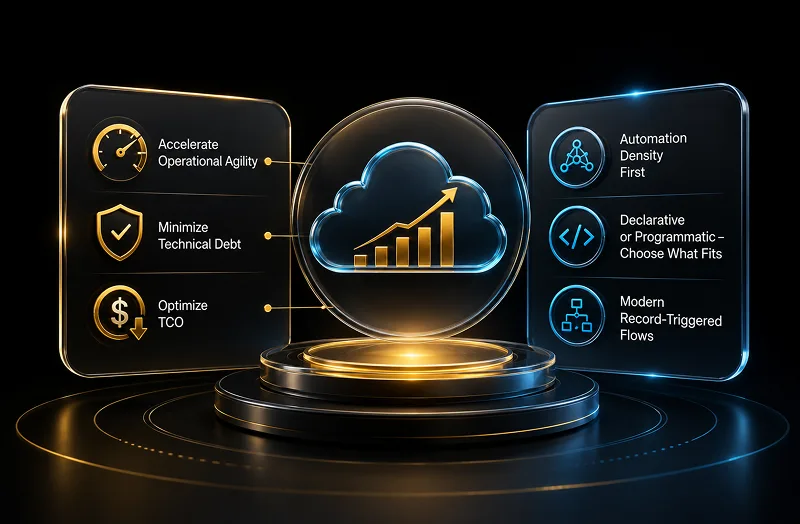
In the modern enterprise landscape, tech leaders face an ongoing challenge: accelerating operational agility while minimizing technical debt. For chief information officers (CIOs) and technology decision-makers, evaluating how automated business processes are built on the Salesforce Platform is a critical component of maintaining a healthy total cost of ownership (TCO).
According to official architectural standards published in the Salesforce Record-Triggered Automation Decision Guide, the framework for choosing between declarative and programmatic development has evolved. Rather than looking strictly at who builds the automation, Salesforce now directs enterprise teams to prioritize Automation Density—evaluating the cumulative impact of metadata quantity, data volume, and dependency sprawl on a single object.
For organizations seeking to compress deployment cycles, modern Record-Triggered Flows offer a robust, native solution to replace or complement legacy custom code safely.
Evaluation Framework: Flow vs. Apex Triggers
When aligning architectural standards with enterprise targets, platform architects weigh the trade-offs between point-and-click tools and programmatic execution based on technical conditions.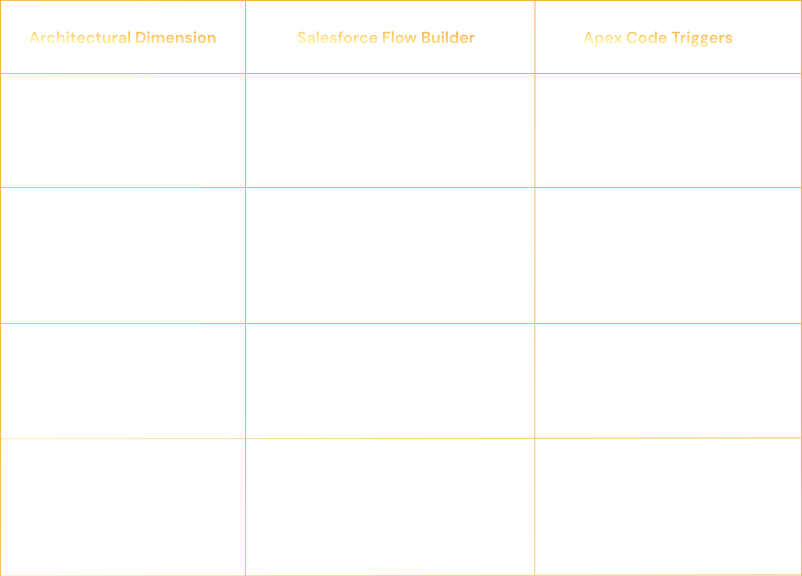
The Technical Assessment: Maximizing Performance with Flow
A common misconception among business leaders is that point-and-click tools are insufficient for enterprise operations. Salesforce’s native automation engine handles transactional logic at scale by executing processes within specific phases of the standard saving procedure.
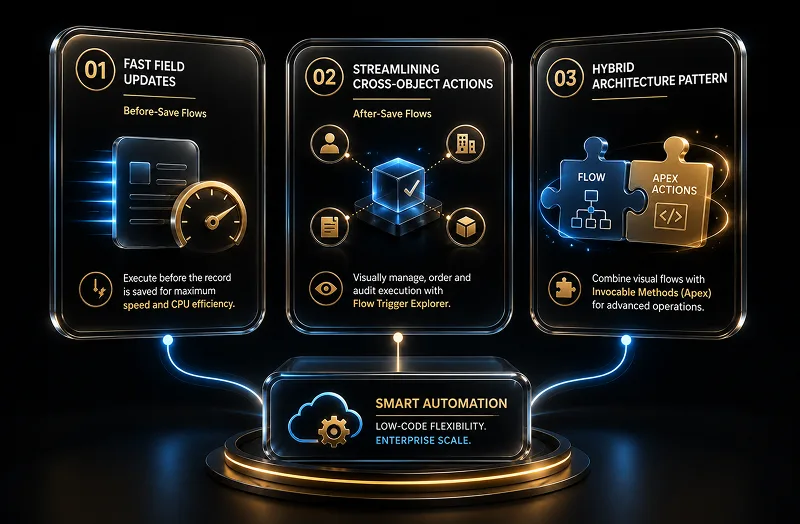
- Fast Field Updates via Before-Save Flows
When business logic only requires updating fields on the record that initiated the event, Salesforce recommends using Before-Save Record-Triggered Flows. Because these automations execute prior to the record being written to the database, they skip expensive re-evaluation phases. This makes them significantly faster than after-save updates and helps preserve precious CPU time allocation. - Streamlining Cross-Object Actions
For processes that need to perform actions across separate database records—such as creating an asset or updating an account profile when an opportunity closes—After-Save Flows provide structured execution paths. Using Flow Trigger Explorer, administrative teams can visually manage, order, and audit the precise execution sequence of these operations without risking unpredictable order-of-execution conflicts. - Implementing the Hybrid Architecture Pattern
Platform optimization rarely requires choosing exclusively between low-code and custom development. Official architectural patterns favor a hybrid strategy that combines visual flexibility with technical depth:
The Hybrid Framework: Utilize Salesforce Flow Builder to define and maintain visible business logic and routing paths. For specialized operations that require advanced computation—such as custom string parsing or heavy data manipulation—embed focused code snippets directly into the canvas using Invocable Methods (Apex Actions).
The Migration Blueprint: Transitioning Safely
Migrating complex legacy automation requires a structured plan to protect data integrity and avoid hitting platform governor limits during high-volume operations.
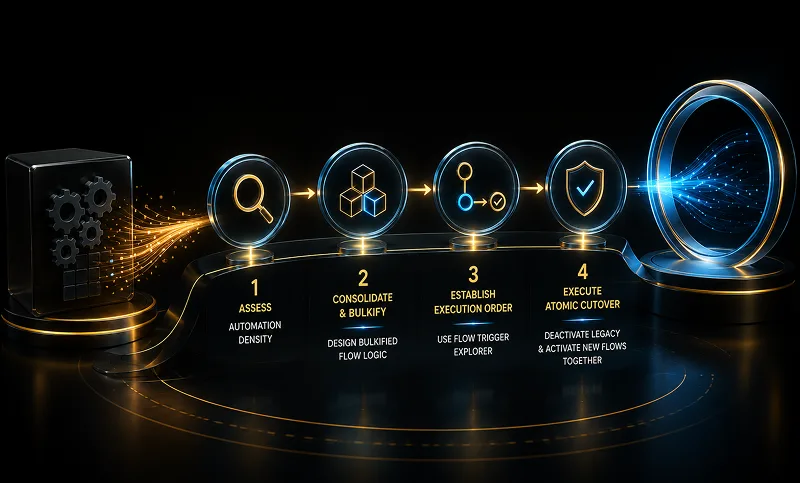
- Assess Automation Density:Phase 1: Discovery.
Audit the target object to evaluate its total automation weight. Review existing workflow rules, process builders, and active Apex triggers to map out the current execution load.
- Consolidate and Bulkify:Phase 2: Design.
Design the replacement logic inside Flow Builder. Ensure all elements are structured to process records in batches (bulkification) by executing data operations against collections rather than individual loops, protecting system performance.
- Establish Execution Order:Phase 3: Orchestration.
Use Flow Trigger Explorer to define the exact execution sequence for your before-save and after-save flows, preventing different declarative processes from competing or executing out of turn.
- Execute Atomic Cutover:Phase 4: Deployment.
Deactivate the legacy Apex code trigger concurrently with the activation of the new Flow architecture in production. Running both engines simultaneously on the same record event creates transactional conflicts, race conditions, or database row-lock errors.
The ROI of Low-Code Mastery
Shifting your architecture toward low-code capabilities delivers measurable business advantages:
- Reduced Development Overhead: Declarative workflows lower the technical barrier, freeing up high-cost development teams to focus on core platform integrations and complex product features.
- Minimized Technical Debt: Relying on native, Salesforce-maintained infrastructure guarantees long-term stability and simplifies the platform upgrade path during global releases.
- Faster Time-to-Market: Business analysts can test and adjust business requirements on a visual canvas, eliminating the extensive scoping, development, and code deployment cycles typical of custom code.
By conducting a thorough automation density assessment and modernizing legacy programmatic triggers, technology executives can position their systems to scale predictably, react quickly to market needs, and optimize ongoing operations.